


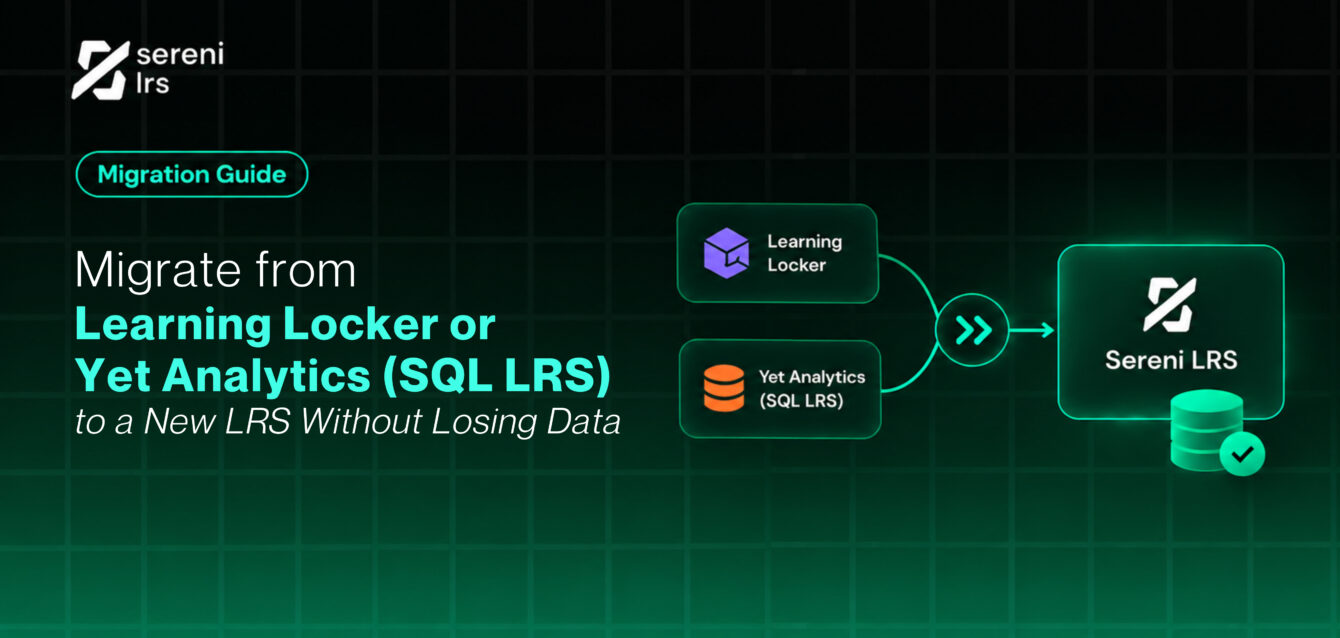
Your company uses Learning Locker or Yet Analytics SQL LRS to collect training data from its LMS, assessments, and other learning platforms. Now, you’re evaluating a new LRS to better meet your reporting needs or fit your learning technology setup. But there’s one concern: what happens to the learning history you’ve already built? The LRS migration needs to preserve that history while accounting for new learning activity during the switch.
Sereni LRS by Aptlogica Technologies introduces dedicated LRS migration utilities for Learning Locker and Yet Analytics SQL LRS in its v1.0.1 release. This guide explains how to plan the transfer, verify historical records, and switch platforms while keeping your learning data usable.
Why switch to Sereni LRS?
For teams evaluating an LRS for growing learning datasets, Sereni LRS reports 18.7 billion xAPI statements processed, 2 million+ learners tracked, and query response times under 250 ms.
- Learning analytics: Learner transcripts, completion tracking, and configurable dashboards.
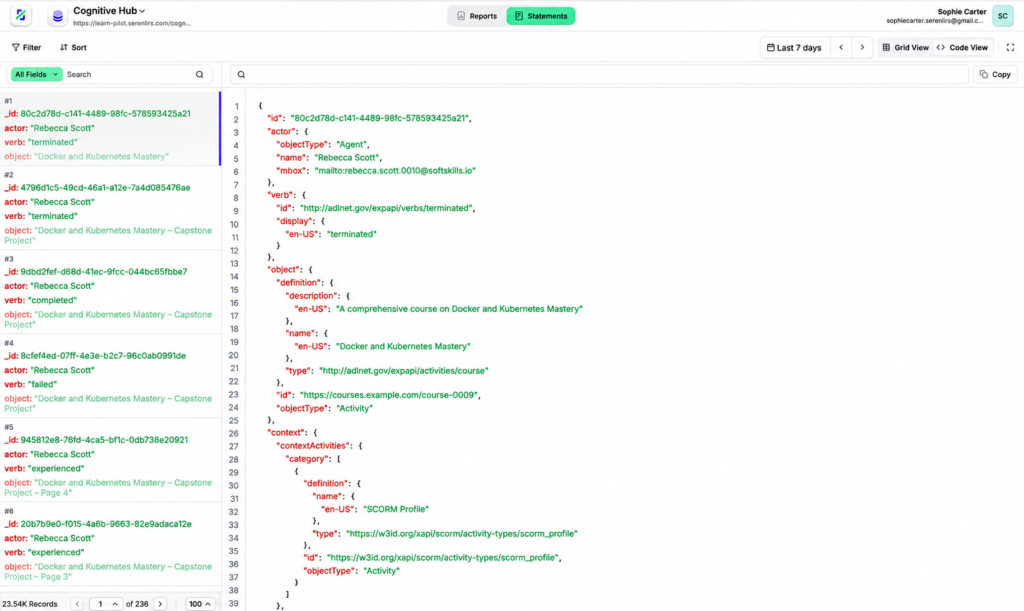
- Easier troubleshooting: Statement Explorer to inspect xAPI records and investigate reporting issues.
- Automated follow-up: Triggers, emails, and Webhooks that connect learning events to configured workflows.
- Learner-data controls: Encrypted email storage and a Forget Me utility for erasure requests.
You can Get started with Sereni LRS for FREE
1. Set clear migration requirements before you export:
Before exporting, document each source Store, its statement totals, historical date range, and the applications and reports that depend on it. Identify what your teams need to retain:
- Learning history: Learner identifiers, course completions, assessment scores, registrations, and original event dates.
- Reporting context: Activity IDs, department extensions, and voiding relationships needed for accurate reports.
- Supporting data: Attachments, course resume data in State documents, and Profile documents. Confirm whether these require separate transfers.
Take a recoverable backup, test restoration, and restrict access to exports containing learner information.
Agree on verification criteria before importing reconcile statement IDs and counts by Store, course, and period, then compare selected learner histories and a critical report. In an illustrative dataset of one million statements, even a 0.1% omission means 1,000 missing records—so overall totals alone are not enough.
2. Select the right Sereni LRS migration utility
The Sereni LRS v1.0.1 release introduces two migration paths.
From Learning Locker: A dedicated MongoDB import utility transfers historical xAPI statements. Sereni’s documentation flags encoded field names in Learning Locker as a conversion concern, so a raw mongoexport should not be assumed to contain ready-to-submit xAPI.
From Yet Analytics SQL LRS: A migration utility transfers learning records from a SQL LRS database export. Yet Analytics supports multiple database engines, including SQLite and PostgreSQL. Confirm your source engine, version, and export format with the Sereni team.
Before scheduling production work, obtain the applicable utility instructions and confirm migration scope, required permissions, and expected outputs.
3.Test learner matching and historical relationships
Pilot a representative sample containing completions, failed assessments, repeated attempts, extensions, and voiding relationships.
Sereni’s bulk import expects derived fields alongside raw_statement, rather than raw xAPI alone. Its actor_ifi mapping determines learner matching. The documentation also requires a voiding statement’s target to exist before the voiding statement is imported. www.serenilrs.com
During testing, retrieve records by their original IDs. Check that scores, registrations, learner identities, and event dates match the source.
Log rejected records and approved transformations. Keep the original export so differences remain traceable.
Preparing your pilot? Review the Sereni LRS documentation and discuss your source environment with sales@serenilrs.com.
4. Verify records and rebuild a critical report
Compare unique IDs and record totals by Store, month, course, and learner. Equal overall counts can hide missing records balanced by duplicates.
Sereni reports import counts separately for its transactional and analytics stores. Reconcile both before approving the migration. www.serenilrs.com
Then rebuild a report your team actually uses. Match its date boundaries, time zone, learner filters, and completion rules. Compare selected employee histories against the source.
If totals differ, investigate whether records are missing or reporting definitions have changed. An imported statement and a correctly calculated report are separate checks.
5. Account for learning activity during cutover
Employees may continue completing courses while historical data moves. Set a clear boundary for the initial transfer and plan how to capture subsequent records, including late arrivals.
Assign an owner to each writing application. Update destination endpoints and credentials, then send a traceable test event from every application.
If using parallel delivery, configure and verify both destinations explicitly. Changing an endpoint does not create dual delivery.
Agree on rollback triggers and a source-system retention period before switching production traffic.
Make Your LRS Migration a Smooth Transition
Migrating from Learning Locker or Yet Analytics SQL LRS is not just about transferring historical xAPI statements. It’s about ensuring that your existing learning records remain accurate, accessible, and useful after the transition.
A well-planned migration should help you:
Preserve historical learning records and learner activity.
- Maintain data relationships and reporting accuracy.
- Minimize disruption to ongoing learning activities.
- Verify imported records before moving production workloads.
With dedicated migration utilities for Learning Locker and Yet Analytics SQL LRS, Sereni LRS makes it easier to move your existing learning data to a new platform while maintaining continuity.
Whether you’re planning a migration, evaluating a new LRS, or looking for a scalable learning analytics solution, Sereni LRS can help you take the next step.
Ready to explore Sereni LRS?
Get started with Sereni LRS for free, or connect with our team for a product demo, enterprise deployment, or migration assistance.
Visit www.serenilrs.com or contact sales@serenilrs.com to get started.